# Connecting a Channel
Now that you have created the Workspace, you are one step closer to setting up the platform. Let's connect a Channel to the platform to start interacting with your Contacts.
{% hint style="info" %}
Find the [list of Channels supported on IS-Messenger here](https://docs.is-messenger.com/ismessenger/workspace-setting/channels).
{% endhint %}
### Connect a Channel
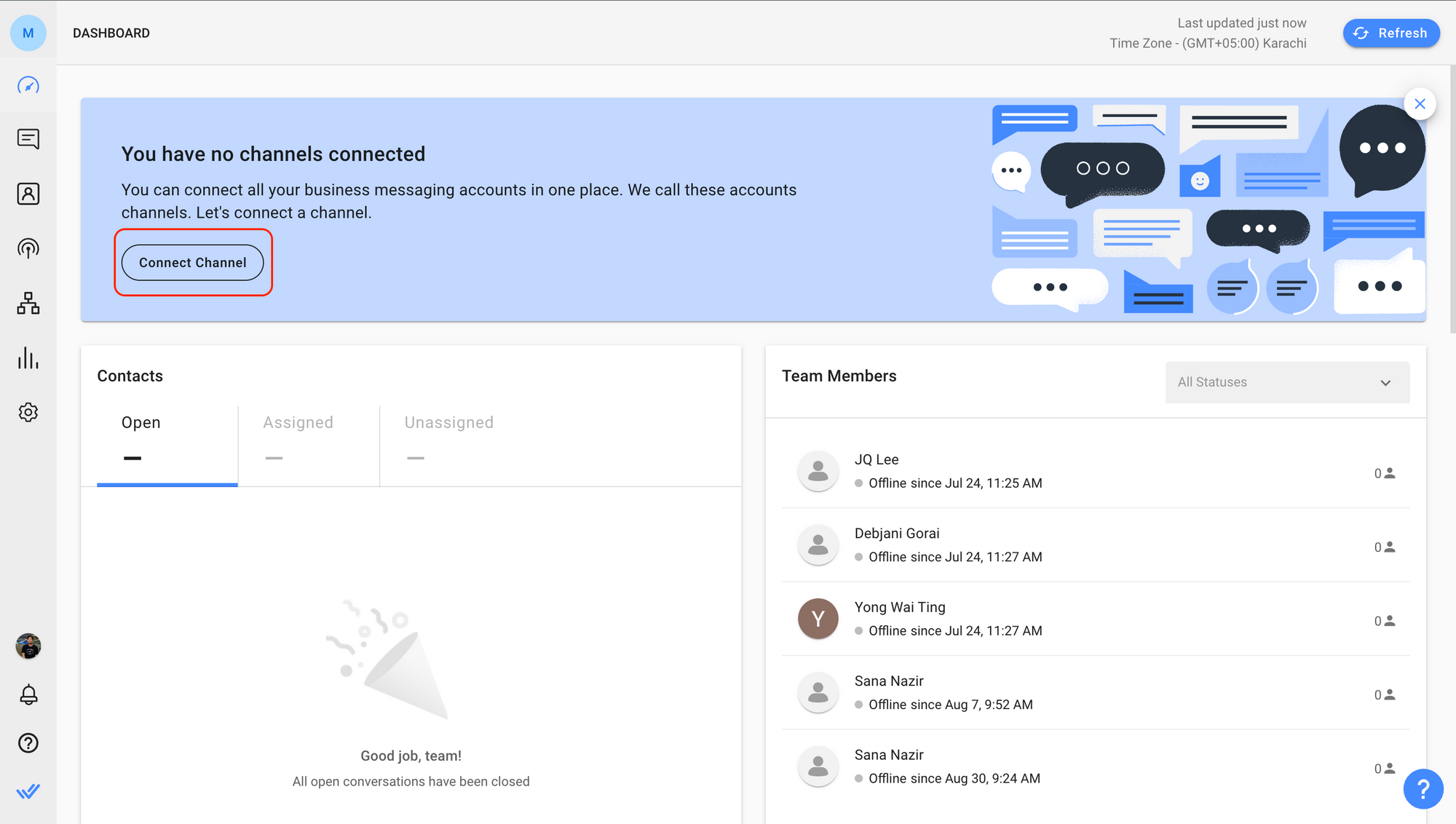
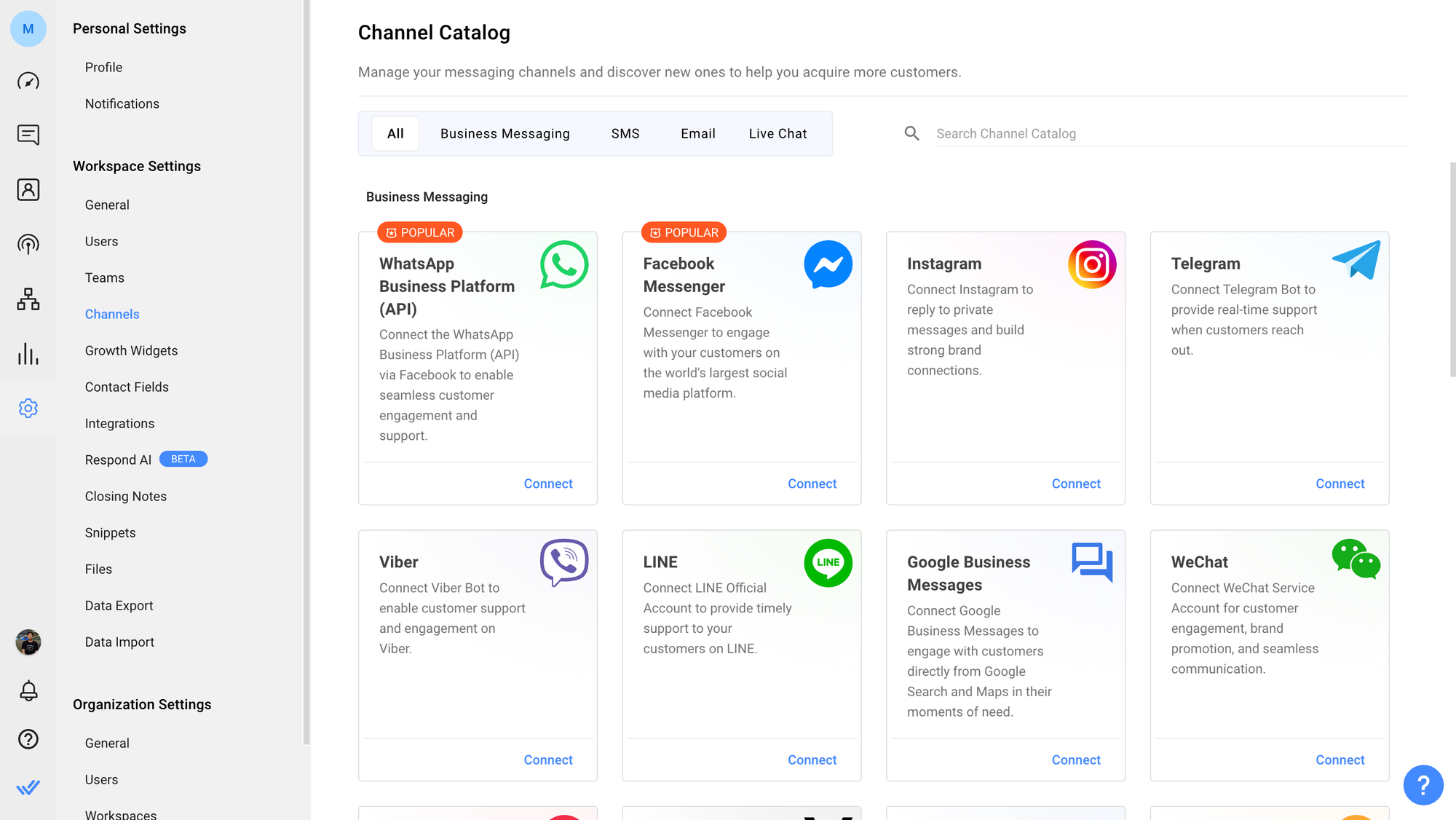
In your Dashboard, click the Connect Channel button to access the Channel Catalog. Then, select a Channel from the Channel Catalog and click Connect.
Alternatively, navigate to your Workspace Settings > Channels and select a Channel from the Channel Catalog and click Connect.
Every Channel has its unique connection flow. Get an overview of each Channel and learn the step-by-step connection flow in the Channel’s quick start guides.
{% content-ref url="../messaging-channels" %}
[messaging-channels](https://docs.is-messenger.com/ismessenger/messaging-channels)
{% endcontent-ref %}
{% hint style="info" %}
We are constantly updating the step-by-step instructions with the latest information. If you find any mismatch of information, please do let us know [here](https://docs.is-messenger.com/ismessenger/modules/contacts).
{% endhint %}
### What's Next?
You have created a Workspace and connected a Channel. Now you can start inviting your teammates to collaborate.
Inviting Users
### FAQ and Troubleshooting
**Why am I encountering an error while attempting to connect a Channel to my Workspace?**
You may be trying to connect a Channel that already exists in another Workspace. To connect your Channel to your desired Workspace, you will need to remove the existing connected Channel. It is also possible that your IS-Messenger account is inactive. If this is the case, please [contact us](https://docs.is-messenger.com/ismessenger/modules/contacts).
{% content-ref url="invite-your-teammates" %}
[invite-your-teammates](https://docs.is-messenger.com/ismessenger/getting-started/invite-your-teammates)
{% endcontent-ref %}